Settled

Product Design

Right reminder.

Right time.

Every time.

Helping users act before forgotten renewals become expensive mistakes.

2

A/B Tests

1

Persona Prioritised

100%

Flows Rated Easy

2

Testing Rounds

Role

#

Product Designer

Team

Solo - just me!

Timeline

4-Week Sprint, 2026

Platform

Mobile/iOS

PROTOTYPE WALKTHROUGH

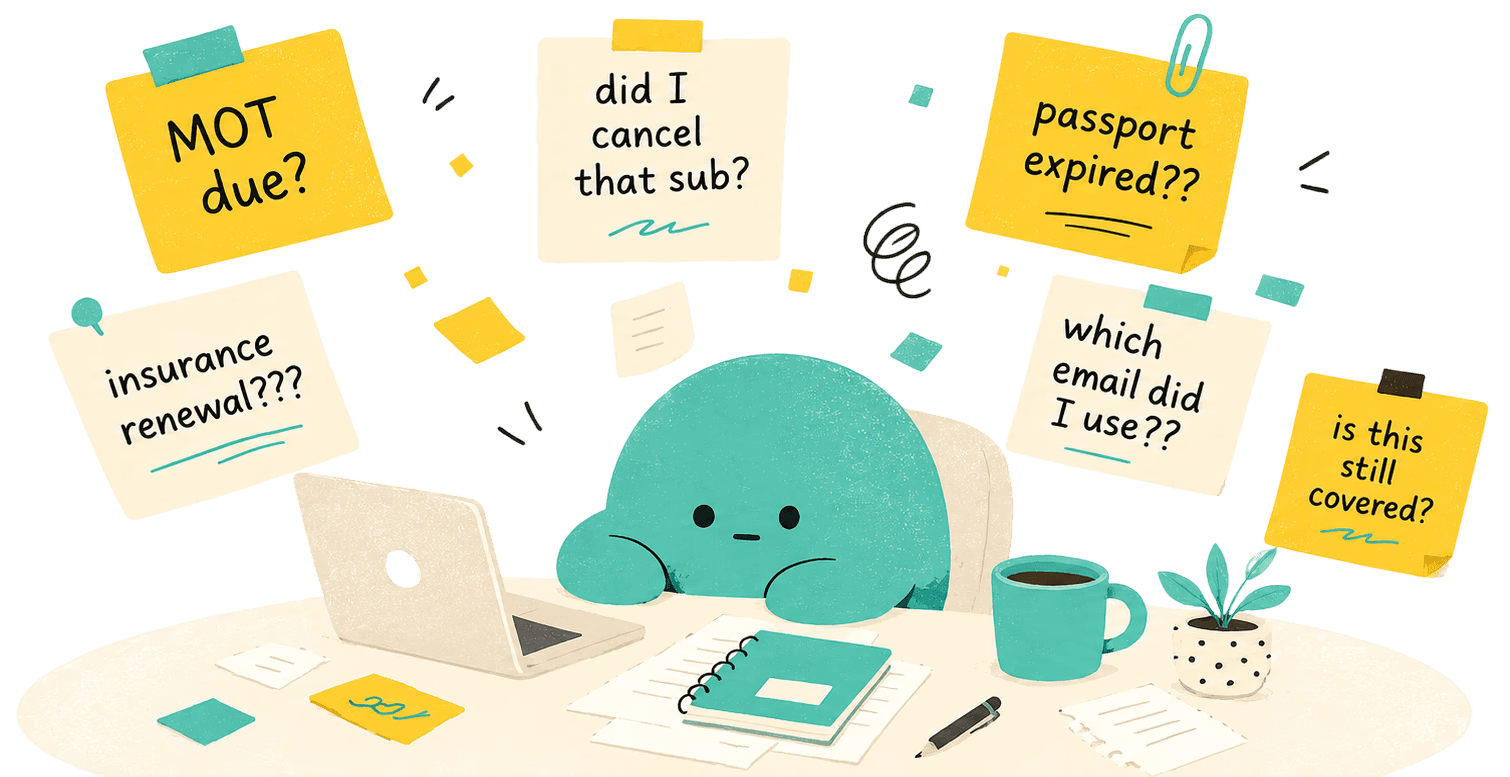
The problem isn't that people are disorganised, it's that they're prompted at the wrong time. I designed Settled end-to-end: from a wide-open brief through six user interviews, two rounds of usability testing, and an A/B test on notification tone. Starting with no product direction and an intentionally broad scope, I used research to narrow the problem to a single insight about timing and avoidance behaviour. Four weeks later: a validated concept, a complete design system, and three tested core flows: onboarding, renewal nudge-to-switch, and a deferral model built around how reactive users actually behave. The final solution connects to a user's inbox, surfaces upcoming deadlines, and delivers a well-timed nudge with a clear action: pay, cancel, or switch provider in seconds.

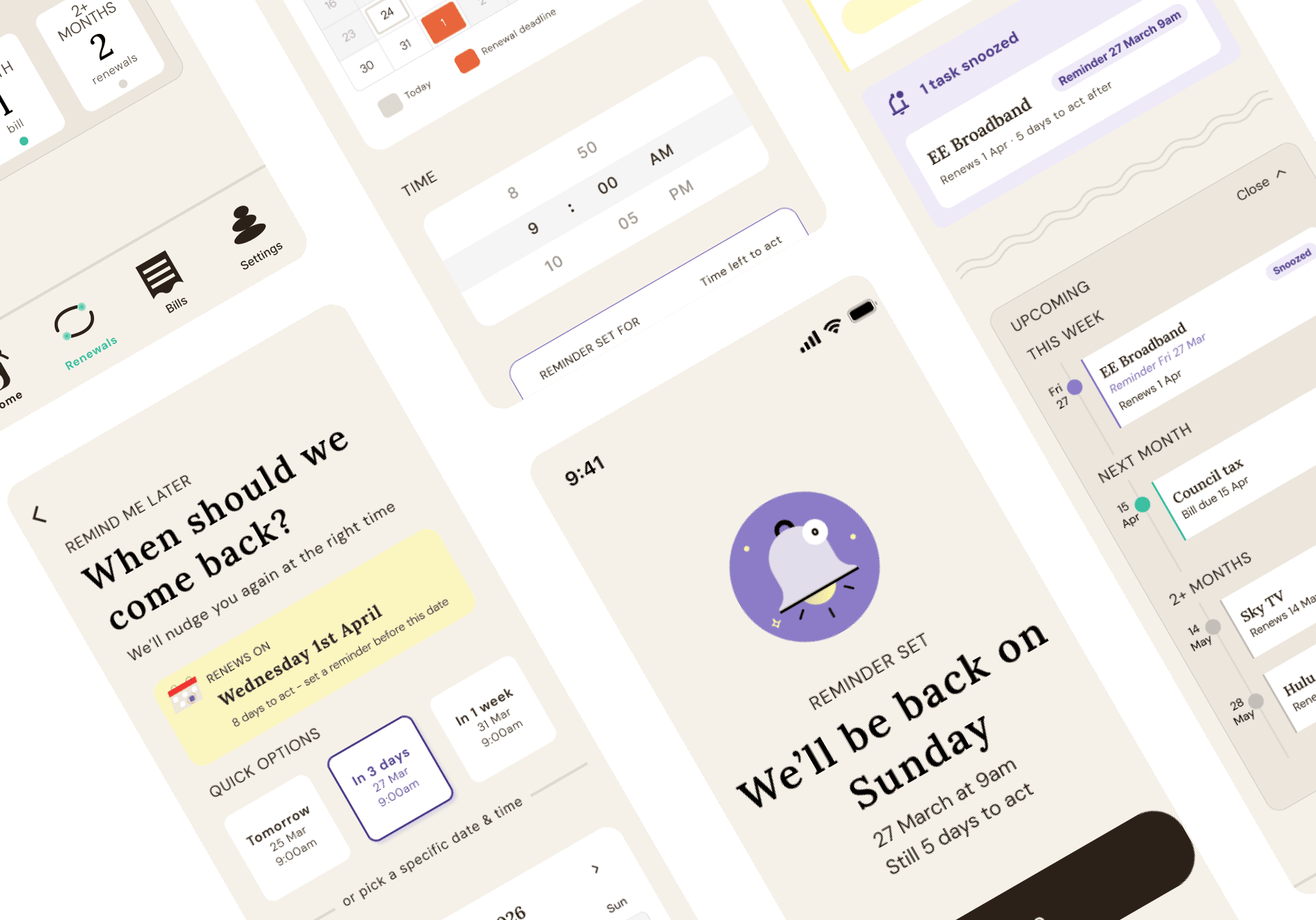
1) Full provider first-time opening app, 2) renewal nudge → switch, and 3) snooze/ remind me later flow.

RESEARCH & INSIGHTS

The real problem wasn't disorganisation — it was timing.

Insurance renewals. Utility payments. Rent. Subscriptions. Passport expirations. Medical appointments.

Adults are expected to track dozens of recurring obligations with no single system designed to help them do it.

THE COST

The real burden isn't just financial- it's also cognitive. 

74% of UK adults have felt too overwhelmed by stress to cope, with life admin consistently among the leading causes. (Mental Health Foundation)


For the estimated 2.5 million people in England with ADHD, executive dysfunction makes planning and task initiation structurally harder- not a personal failing.

RESEARCH · PHASE 1

Survey: No existing tool is designed to hold it all for them.

Recruited participants aged 18–55+ targeting adults who manage their own life admin. Designed to understand not just what tools people use, but how they feel about the whole thing and where it breaks down.

8/10

Use a fragmented combination of tools: calendar, reminders, notes, and memory

7/10

Stated the biggest problem was things being spread across too many places, or having no system at all

9/10

Had missed or nearly missed a deadline with real consequences: fines, unexpected charges, a night without electricity

Insurance renewals and subscriptions were the top two priorities people wanted automated. But the open-text responses told the sharper story: people don't just want reminders. They want the cognitive burden lifted entirely.


I don't have a system in place and honestly if I wrote everything down it stresses me out more — I'd rather just leave it until the deadline.

People know they have things to track. It's that no existing tool is designed to manage it all for them.

The survey pointed toward interviews to understand the why behind the workarounds.

The survey pointed toward interviews to understand the why behind the workarounds.

The survey pointed toward interviews to understand the why behind the workarounds.

RESEARCH · PHASE 2

User Research: The real burden lives between the tasks, not during them.

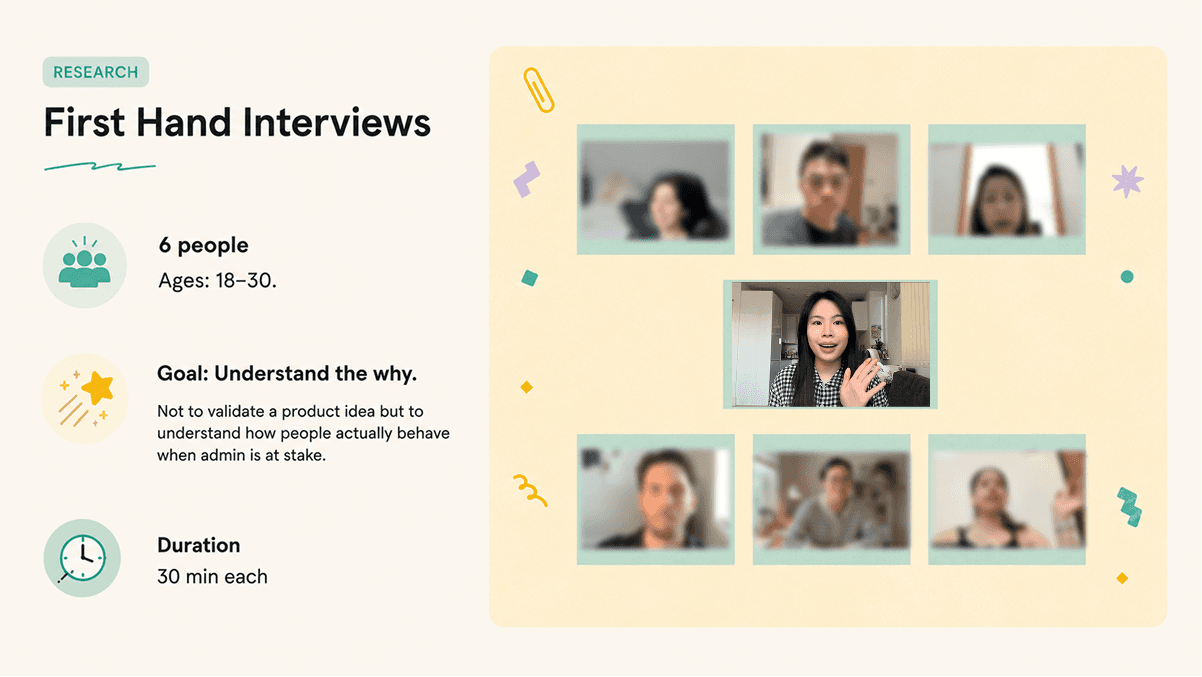
Focused on 18–30 year olds, a group actively transitioning from student life into adult responsibility, where habits and systems are still forming. Five key patterns emerged across all six participants.
Reminders are easy to ignore when you set them yourself.

4/6 users described dismissing self-set reminders, only acting when a real consequence like a financial penalty forced their hand. Awareness of a deadline is not the same as feeling compelled to act on it.

The mental load lives between the tasks, not during them.

5/6 users described a persistent background anxiety about tasks that hadn't been started. The burden isn't the admin itself; it's the low-level awareness that something might be slipping.

Financial admin and subscriptions create disproportionate stress.

6/6 users identified subscriptions, renewals, and service comparisons as the most anxiety-inducing category of admin. Unlike calendar tasks, the consequence of inaction is financial- money leavingg quietly, without a prompt.

Fragmented systems aren't a failure — they're how people manage different kinds of thinking.

6/6 used multiple tools in combination, each serving a distinct cognitive purpose: calendars for high-level scheduling, notes for brain dumps, reminders for time-sensitive triggers. The fragmentation was deliberate but it left no single view of what was actually due.

People haven't chosen their tools. They've inherited them.

5/6 users adopted their current tools by prior exposure. Gmail led to Calendar, iOS led to Reminders and Apple Calendar. They described their systems as "good enough" not because they worked well, but because switching felt harder than staying.

ARCHETYPES

Admin failure looks different depending on who you are.

The interviews produced two clearly distinct behavioural profiles. Rather than treating them as a spectrum, I modelled them as separate personas because designing for both at once would have meant designing for neither well.

I prioritised designing for the Procrastinating Juggler, and this wasn't a close call. Their problem has a sharp root cause (wrong timing), a measurable consequence (financial loss), and a clear design direction that isn't just "build a better to-do list." The Optimiser's problem is real, but it requires deep integration with existing tools and a longer trust-building runway...more than a five-week sprint could responsibly attempt.

HOW MIGHT WE

Protect the Procastinating Juggler from financial loss caused by forgotten payments, renewals and subscriptions?


FEATURE SET

What Settled does that no existing tool does

A mobile app that monitors your email for the financial admin you're most likely to forget and nudges you at the right moment to act. Pay in one tap, switch providers in seconds, never lose money to a deadline you didn't see coming.

SOLUTION STATEMENT

A mobile app that monitors your email for the financial admin you're most likely to forget and nudges you at the right moment to act. Pay in one tap, switch providers in seconds, never lose money to a deadline you didn't see coming.

SOLUTION STATEMENT

User flows: Onboarding · Notification to switch · Notification to delay, The three paths a user takes through Settled.

FEATURE 01


Inbox scanning — finds your utilities and subscriptions so you don't have to.

Settled connects to a user's email inbox to automatically surface upcoming renewals, subscriptions, and billing dates - no manual entry required.

Problem: Users have fragmented tools with no single view of what was due. Tracking across multiple systems doesn't just create gaps — it creates constant low-level cognitive load.

FEATURE 02


Provider search + switch recommendation

Settled searches alternative providers in the background and presents a single recommendation: switch and save £X, or renew. The user decides; Settled does the research.

Problem: Users found renewals and bills the most anxiety-inducing admin category. The blocker wasn’t the decision, it was having to find the options first.

Key interface decisions


01.

Framed as "let us look at what you've got" — not setup.

Connecting tools was positioned as value delivery, not configuration. The "What we found" screen appears immediately after connecting before any further action is required from the user.

02.

Provider rating built into onboarding to power recommendations from day one. setup.

After detecting existing providers, users rate each one on a 3-star scale: happy, okay, or not happy. This gives Settled the data it needs to know whether to recommend a switch.

03.

Permission controls in plain language, part of onboarding not settings.

Exactly what data is accessed and why is shown upfront - adjustable or revocable at any point. An app asking for email access needs to earn that trust before requesting it.

FEATURE 03

Smart nudge timing

A single push notification surfaced at the right moment. Close enough to feel urgent, early enough to act well.

Problem: Awareness isn’t the same as urgency. Users dismissed self-set reminders, only acting when an external consequence like a financial penalty forced their hand.

Key interface decisions


01.

One recommended deal at the top. Two alternatives for reference.

Providers are ranked by saving in the background. The best match is labelled. Two alternatives are visible for context. No comparison overload. The cognitive burden of research is removed before the user opens the app.

02.

Deal details made more prominent after round 2 testing.

Two participants missed speed and contract length on the confirm-switch screen on first pass. In the final iteration these details were given more visual weight, ensuring confidence before committing to the switch.

03.

Making every completed task feel like a small win worth celebrating.

"£X saved every year" is the largest type on screen. Confetti appears here and nowhere else, so when it fires, it means something. Every round 2 user reacted with delight unprompted.

FEATURE 03

Snooze without judgement

The "Not yet" button defers a task without penalty- it resurfaces at a smarter time, treating avoidance as a valid choice rather than a failure.

Problem: Users described persistent background anxiety about unstarted tasks. Avoidance is the default behaviour so the product needed to work with it, not against it.

Key interface decisions


01.

Billing deadline surfaced above the date picker — a round 1 fix.

In lo-fi the reminder screen showed only the date picker. Participants set reminders without knowing what they were working around. In hi-fi "Still 5 days to act" appears above the calendar- all three round 2 participants referenced it when choosing their time.

02.

Quick options alongside a full calendar — speed without losing control.

Tomorrow, In 3 days, and In 1 week shortcuts handle the most common snooze decisions in one tap. The full calendar and time picker sit below for users who need a specific window. Both paths lead to the same calm confirmation: "We'll be back on X."

03.

Two ways to snooze: a default setting and a one-off override.

A/B testing revealed users wanted both: a preferred reminder timing set once during onboarding (e.g. always remind me 3 days before), and the ability to pick a specific time for complex renewals that need more thought. Neither alone was sufficient.

Key interface decisions


01.

Dashboard structured as a timeline, not an urgency binary.

Lo-fi grouped tasks as "urgent" and "non-urgent." Testing found this broke down immediately. A renewal due in 8 days didn't feel non-urgent. The dashboard uses This Week / Next Month / 2+ Months, matching the user's actual mental model of time and giving a calm overview rather than a pressured task list.

02.

Single task detail screen: consequence, action, three options. Nothing else.

Tapping the notification opens one screen for one task. The consequence of inaction is shown alongside the recommended action. Three options only: do it, not yet, or remind me later. No navigation, no browsing required, mental load reduced.

FEATURE 01


Inbox scanning — finds your utilities and subscriptions so you don't have to.

Settled connects to a user's email inbox to automatically surface upcoming renewals, subscriptions, and billing dates - no manual entry required.

Problem: Users have fragmented tools with no single view of what was due. Tracking across multiple systems doesn't just create gaps — it creates constant low-level cognitive load.

Key interface decisions


01.

Framed as "let us look at what you've got" — not setup.

Connecting tools was positioned as value delivery, not configuration. The "What we found" screen appears immediately after connecting before any further action is required from the user.

02.

Provider rating built into onboarding to power recommendations from day one. setup.

After detecting existing providers, users rate each one on a 3-star scale: happy, okay, or not happy. This gives Settled the data it needs to know whether to recommend a switch.

03.

Permission controls in plain language, part of onboarding not settings.

Exactly what data is accessed and why is shown upfront - adjustable or revocable at any point. An app asking for email access needs to earn that trust before requesting it.

FEATURE 02


Provider search + switch recommendation

Settled searches alternative providers in the background and presents a single recommendation: switch and save £X, or renew. The user decides; Settled does the research.

Problem: Users found renewals and bills the most anxiety-inducing admin category. The blocker wasn’t the decision, it was having to find the options first.

Key interface decisions


01.

One recommended deal at the top. Two alternatives for reference.

Providers are ranked by saving in the background. The best match is labelled. Two alternatives are visible for context. No comparison overload. The cognitive burden of research is removed before the user opens the app.

02.

Deal details made more prominent after round 2 testing.

Two participants missed speed and contract length on the confirm-switch screen on first pass. In the final iteration these details were given more visual weight, ensuring confidence before committing to the switch.

03.

Making every completed task feel like a small win worth celebrating.

"£X saved every year" is the largest type on screen. Confetti appears here and nowhere else, so when it fires, it means something. Every round 2 user reacted with delight unprompted.

FEATURE 03


Smart nudge timing

A single push notification surfaced at the right moment. Close enough to feel urgent, early enough to act well.

Problem: Awareness isn’t the same as urgency. Users dismissed self-set reminders, only acting when an external consequence like a financial penalty forced their hand.

Key interface decisions


01.

Dashboard structured as a timeline, not an urgency binary.

Lo-fi grouped tasks as "urgent" and "non-urgent." Testing found this broke down immediately. A renewal due in 8 days didn't feel non-urgent. The dashboard uses This Week / Next Month / 2+ Months, matching the user's actual mental model of time and giving a calm overview rather than a pressured task list.

02.

Single task detail screen: consequence, action, three options. Nothing else.

Tapping the notification opens one screen for one task. The consequence of inaction is shown alongside the recommended action. Three options only: do it, not yet, or remind me later. No navigation, no browsing required, mental load reduced.

FEATURE 04


Snooze without judgement

The "Not yet" button defers a task without penalty- it resurfaces at a smarter time, treating avoidance as a valid choice rather than a failure.

Problem: Users described persistent background anxiety about unstarted tasks. Avoidance is the default behaviour so the product needed to work with it, not against it.

Key interface decisions


01.

Billing deadline surfaced above the date picker — a round 1 fix.

In lo-fi the reminder screen showed only the date picker. Participants set reminders without knowing what they were working around. In hi-fi "Still 5 days to act" appears above the calendar- all three round 2 participants referenced it when choosing their time.

02.

Quick options alongside a full calendar — speed without losing control.

Tomorrow, In 3 days, and In 1 week shortcuts handle the most common snooze decisions in one tap. The full calendar and time picker sit below for users who need a specific window. Both paths lead to the same calm confirmation: "We'll be back on X."

03.

Two ways to snooze: a default setting and a one-off override.

A/B testing revealed users wanted both: a preferred reminder timing set once during onboarding (e.g. always remind me 3 days before), and the ability to pick a specific time for complex renewals that need more thought. Neither alone was sufficient.

LO-FI WIREFRAMES + USABILITY TESTING - ROUND 1

Features were stress-tested before the brand was applied.
All flows rated easy. Six issues found, two critical.

CRITICAL FINDING · 4/4 USERS

Billing deadline missing from the reminder screen

Without seeing the original deadline, setting a reminder is guesswork — the feature defeats its own purpose. All four participants raised this independently, including the Optimiser.

← → Drag to compare

CRITICAL FINDING · 4/4 USERS

Notification copy read as aggressive, felt like a scam text

Fear-based framing risked rushed decisions. All users flagged the tone. The A/B test in round 2 confirmed savings-led framing with mild consequence in the subtext — as the winning format.
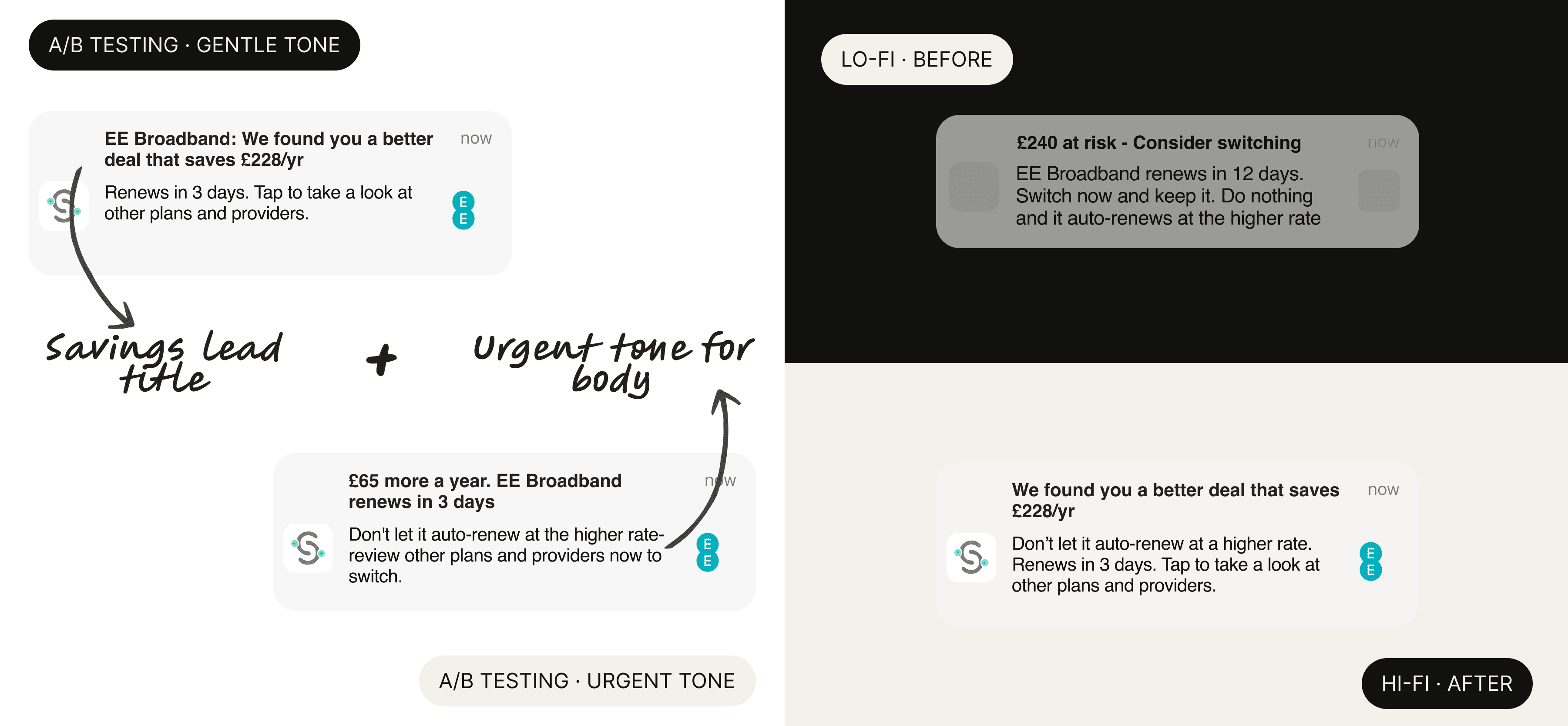
LHS: A/B tested two versions of notification copy. RHS: Top shows initial notification copy during lo-fi stage. Bottom shows the final hybrid approach for notification copy: savings led title with urgent tone for body text.

SECONDARY FINDINGS · 2-3/4 USERS

Small frictions, compounding cost

Each issue was raised by 2–3 participants and rated easy to get around but left unchecked, they would have quietly undermined the calm, effortless experience the product was designed to create. All three were fixed in hi-fi.

THE OPTIMISER'S ROLE

To catch what the Juggler group couldn't

Testing with only the primary persona risks false consensus. Where a Juggler accepts a simplified recommendation, an Optimiser interrogates it. That contrast reveals which decisions are truly clear versus which only make sense to users already aligned with the product's assumptions.

Testing with only the primary persona risks false consensus. Where a Juggler accepts a simplified recommendation, an Optimiser interrogates it. That contrast reveals which decisions are truly clear versus which only make sense to users already aligned with the product's assumptions.

Validated — carried forward unchanged

Core concept: automated detection understood and valued by all four immediately. Gmail connection and privacy copy: smooth and explicitly trusted by participants. No-judgement deferral tone: "Not yet" landed as supportive, not guilt-inducing. Switch flow structure: in-app comparison and provider handoff described as intuitive.

REFLECTIONS

What the Testing Taught Me

01

On Using AI to accelerate lo-fi iteration:

AI-generated layouts compressed the time between idea and testable screen. Producing multiple information hierarchy options side by side made visual decisions faster than imagining them one at a time.

02

Testing can generate solutions, not just validate them:

The winning A/B variant didn't exist before testing. The final notification format was a hybrid suggested by a participant — neither option tested originally. The test created the answer rather than selecting one.

03

Copy is a design decision, not a finishing touch:

Notification tone shifted significantly between rounds and should have been tested at lo-fi. The primary moment of contact between product and user deserved more iteration time than it received.

What I'd do next

01

designing for the returning user:

The current flows handle setup and initial nudges. The next design layer is retention - what keeps the user coming back, building trust in ratings, and deepening their relationship with the product over time.

02

bills payment flow:

Designing the in-app bills payment experience is the clearest remaining priority. A user tapping a reminder and completing a utility payment in-app was a known gap - time constraints kept focus on the three highest-risk flows, leaving this as the most significant undesigned surface.

design.

by jeslyn kho.

Always down for a matcha and good conversation - design, medtech or anything in between.


Send me a message and let's connect.


Currently in: London


Made with Claude Code and Framer

All rights reserved
©

2026

design.

by jeslyn kho.

Always down for a matcha and good conversation - design, medtech or anything in between.


Send me a message and let's connect.


Currently in: London


Made with Claude Code and Framer

All rights reserved
©

2026

design.

by jeslyn kho.

Always down for a matcha and good conversation - design, medtech or anything in between.


Send me a message and let's connect.

Currently in: London

All rights reserved
©

2026